How to Shop on EGTRADE ?!
Because your time matters, we designed the EGTRADE website to be the fastest and easiest place to order everything you need.
This short video explains how to find your items instantly, add them to your cart, and complete your payment in just a few simple clicks.
How to Buy from EGTRADE (Step-by-Step Guide)
We've summarized the purchasing steps in sequential screens so you can easily confirm your order, delivery method, and payment.
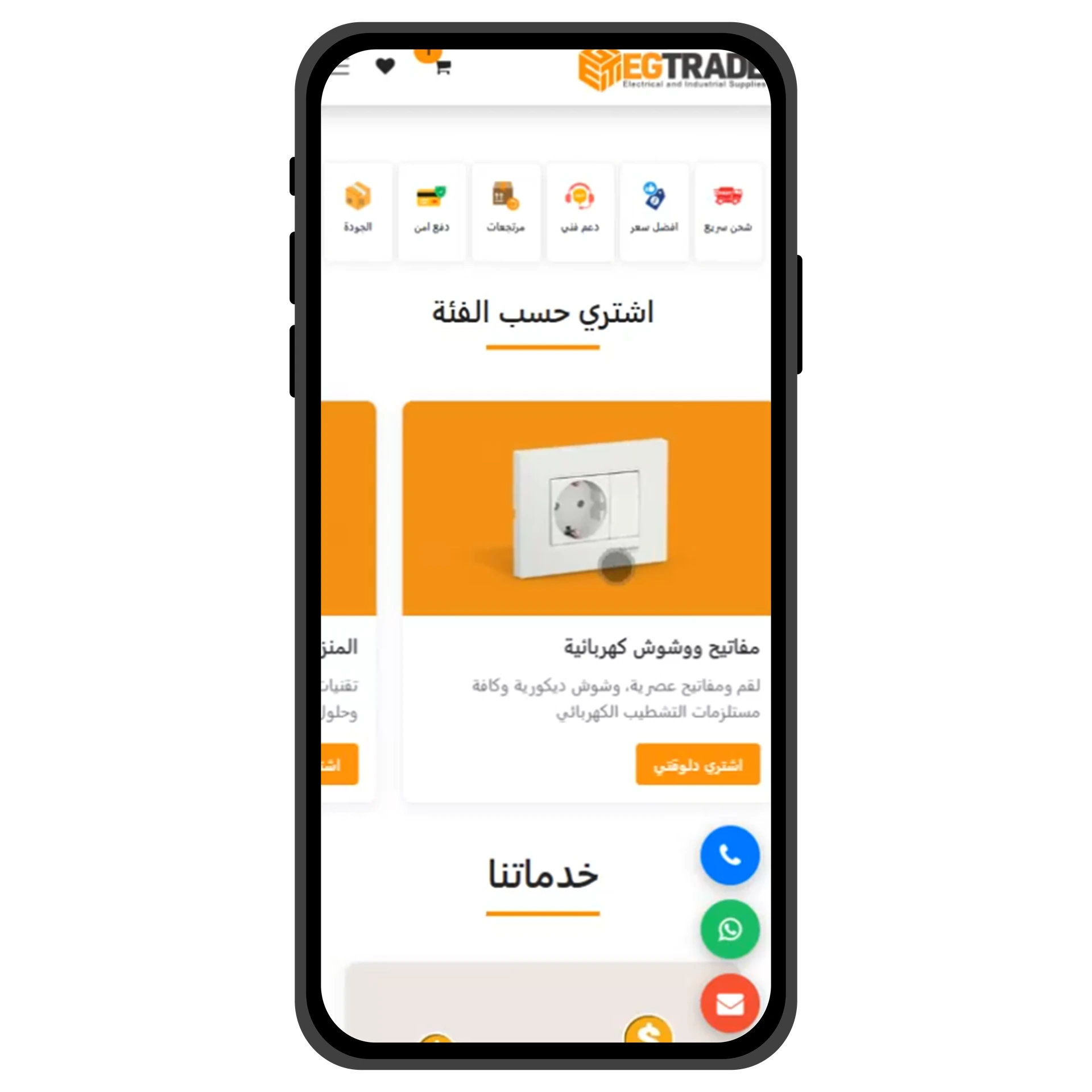
To find your product, you can browse the website categories and products.
You'll find everything organized, from Safety Systems to electrical cables.
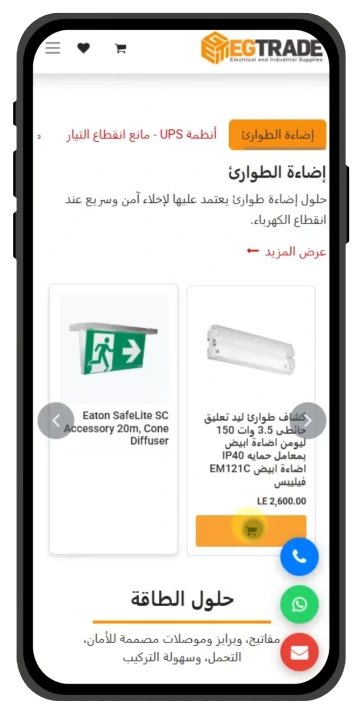
Click on the product you need
to be directed to its page.
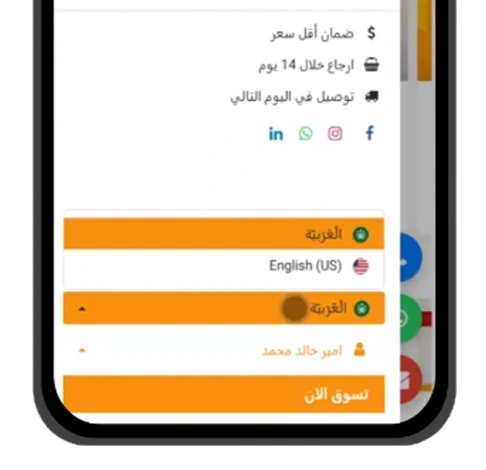
However, try to use the website's language when searching to get better results.
You can also easily use the search bar to find your product.
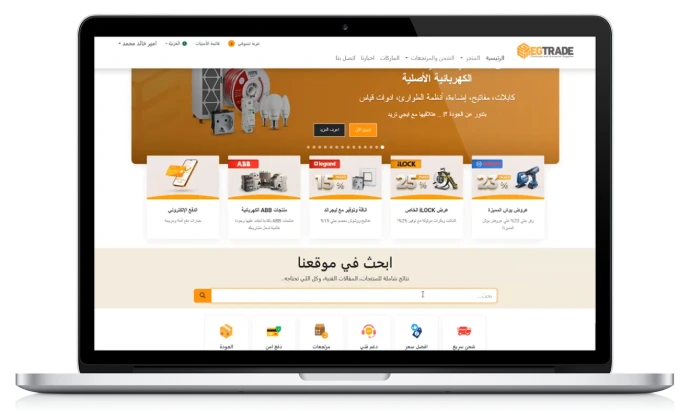
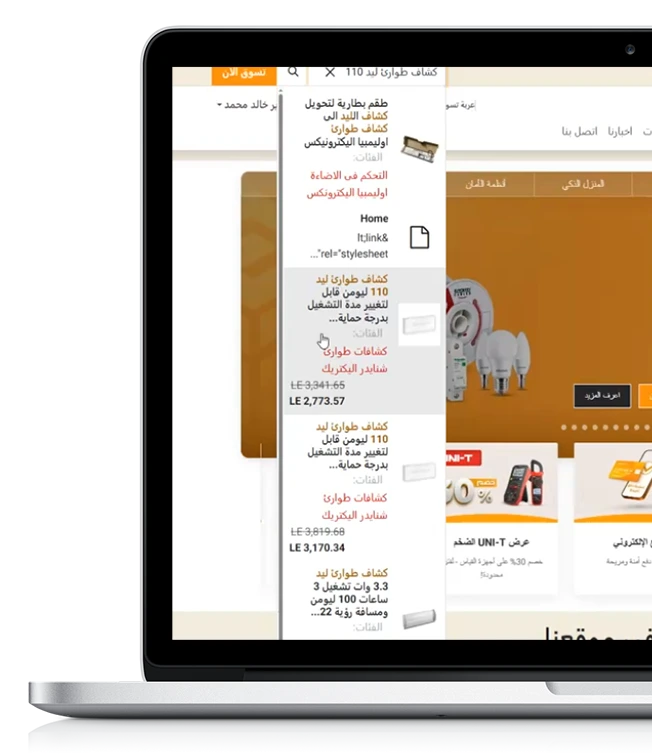
You will find the search bar at the top of the homepage,
Or use the top search bar, available anywhere on desktop.
Computer
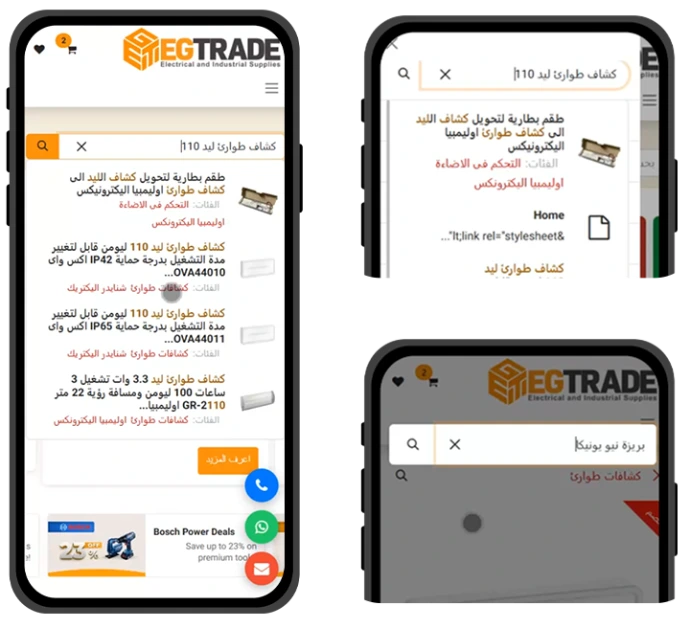
Mobile Device
- you will find the search bar at the top of the homepage.
- You can also use the side search bar from anywhere
- or the one at the top of the product page.
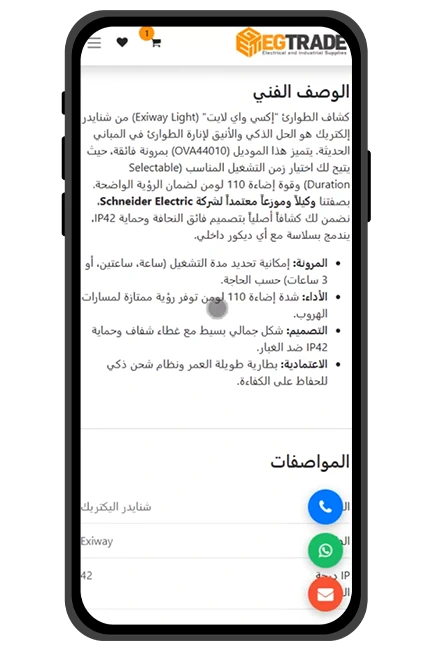
once you choose a product, you will enter its page. Here, you can view various images.and review the price and technical specifications to ensure the product meets your needs.
After thoroughly reviewing the product, select the quantity you need and click (Add to Cart).
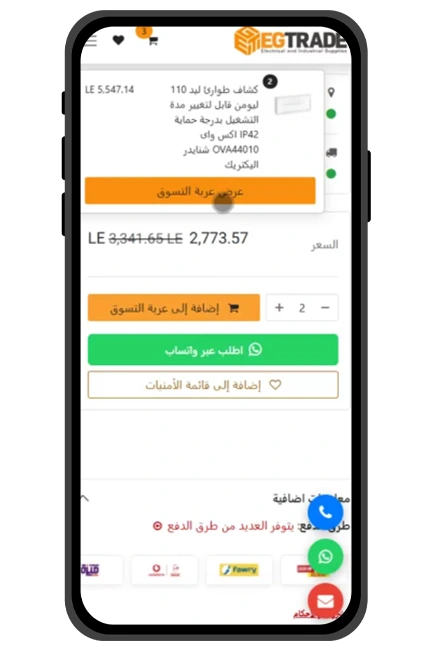
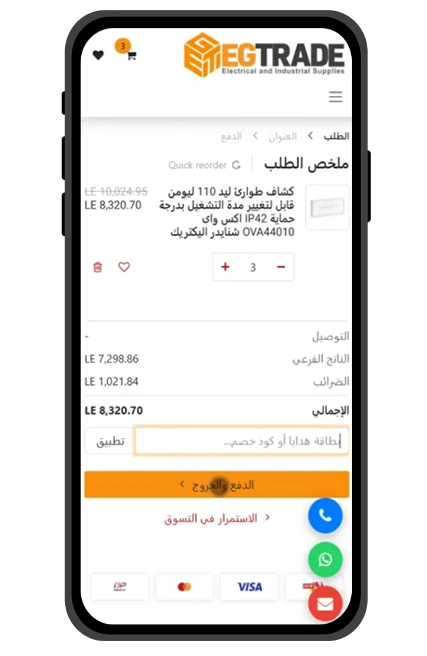
Once the price details appear and you've reviewed them, you will find a field to apply a discount code (if available). Click (Apply), then click (Checkout).
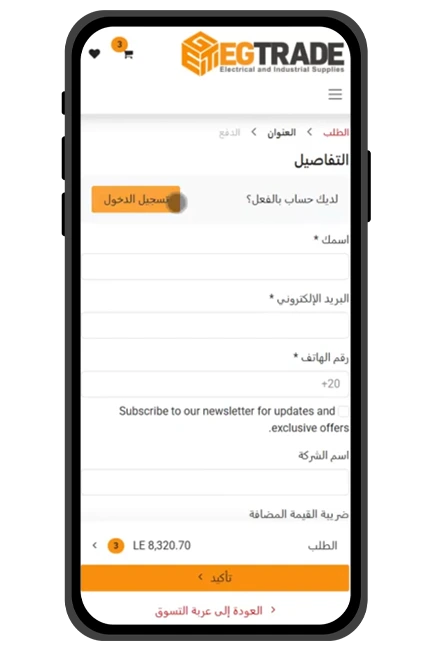
Next, you will be directed to the following page to enter your details in full. If you are already registered on the site, simply click (Log in).
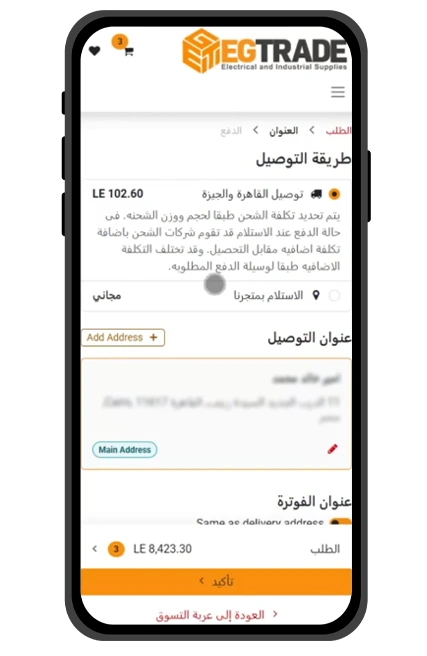
Select your delivery method, then review your details carefully to ensure the courier can reach you easily and promptly... then click Confirm.
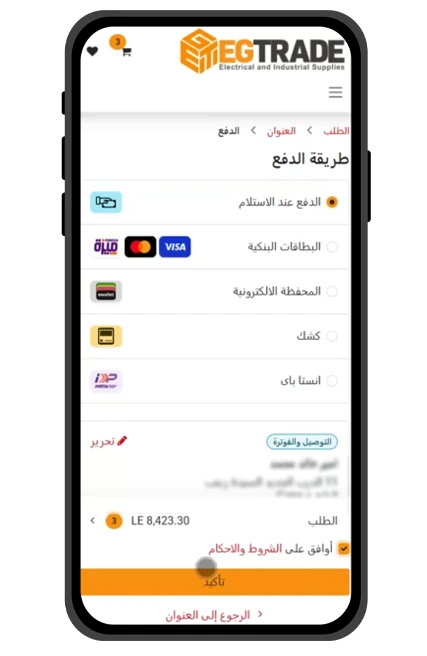
You will find multiple payment methods. Choose the payment method that suits you, click (I agree to the Terms and Conditions), and then click Confirm.
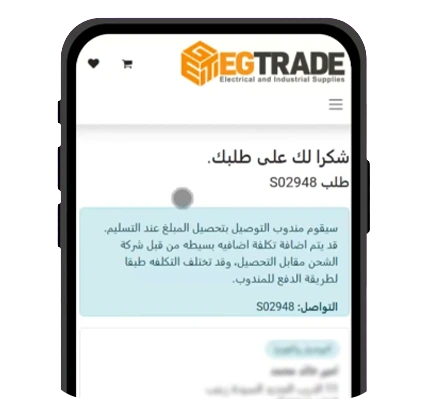
Congratulations! Your order has been successfully confirmed
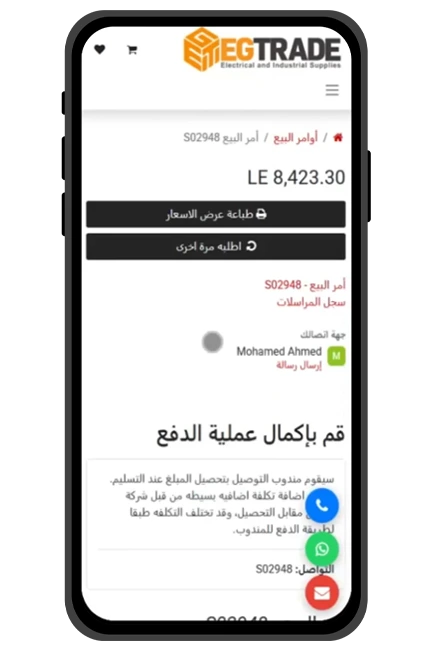
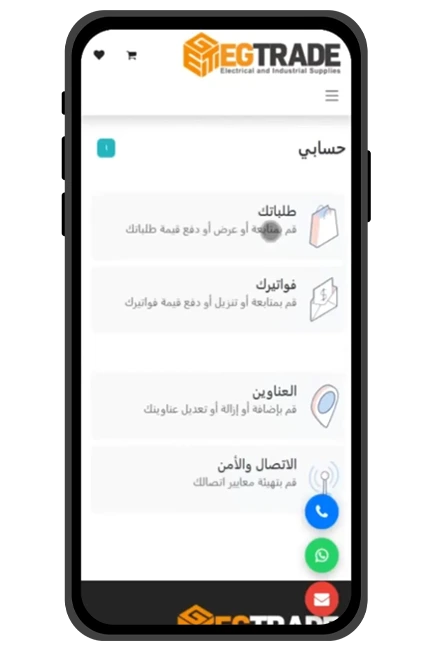
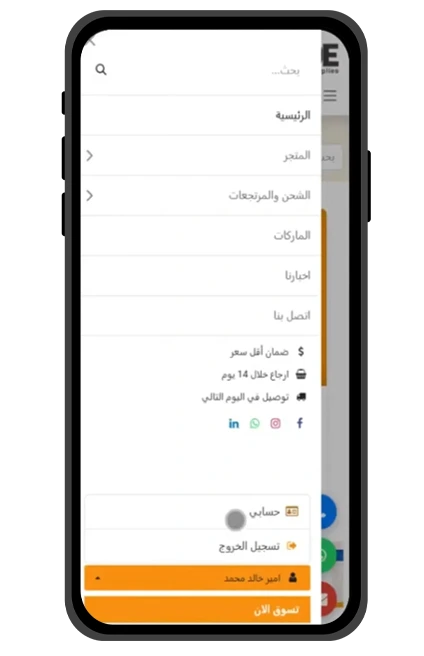
Once your order is confirmed, you can easily track it through your account.
Click on 'Your Orders' to find all confirmed orders.
Select the order you wish to track or review, and you will find all the related details.
How to Shop on EGTRADE ?!
Because your time matters, we designed the EGTRADE website to be the fastest and easiest place to order everything you need.
This short video explains how to find your items instantly, add them to your cart, and complete your payment in just a few simple clicks.
How to Buy from EGTRADE
(Step-by-Step Guide)
We've summarized the purchasing steps in sequential screens so you can easily confirm your order, delivery method, and payment.
To find your product, you can browse the website categories and products.
You'll find everything organized, from Safety Systems to electrical cables.
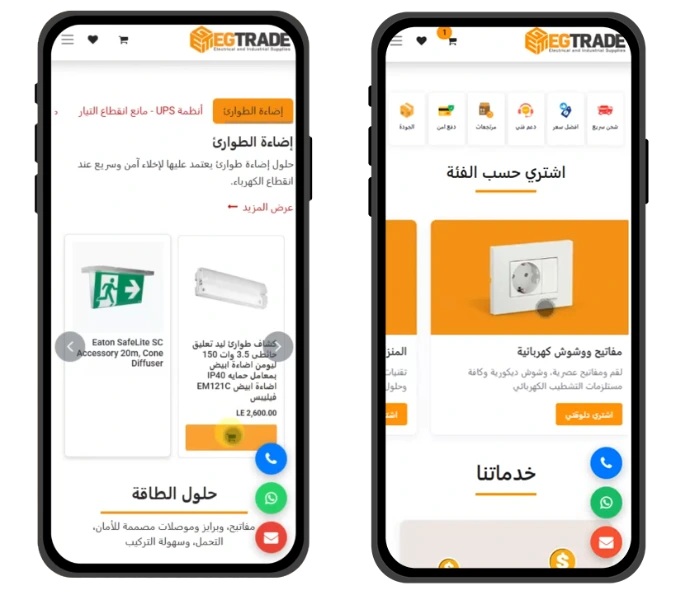
Click on the product you need to be directed to its page.
However, try to use the website's language when searching to get better results.
You can also easily use the search bar to find your product.
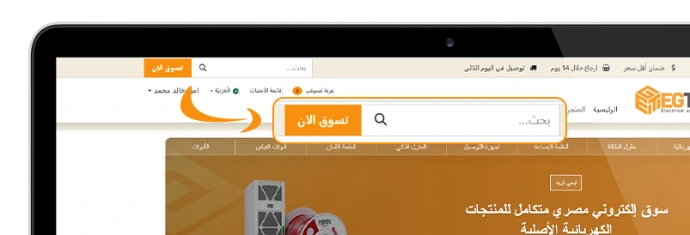
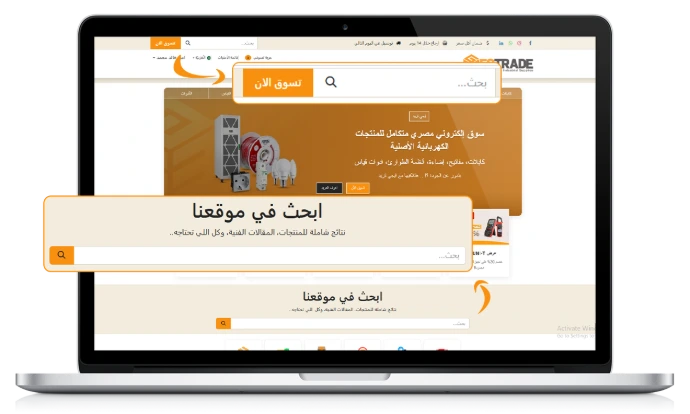
If you are using a desktop, you will find the search bar at the top of the homepage
or you can use the top search bar available anywhere on the site.
Mobile Device
- you will find the search bar at the top of the homepage.
- You can also use the side search bar from anywhere
- or the one at the top of the product page.
once you choose a product, you will enter its page. Here, you can view various images. and review the price and technical specifications to ensure the product meets your needs.
After thoroughly reviewing the product, select the quantity you need and click (Add to Cart).
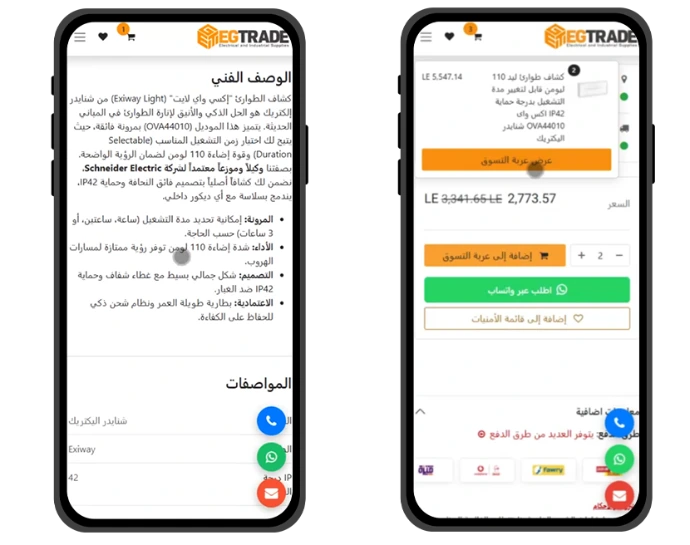
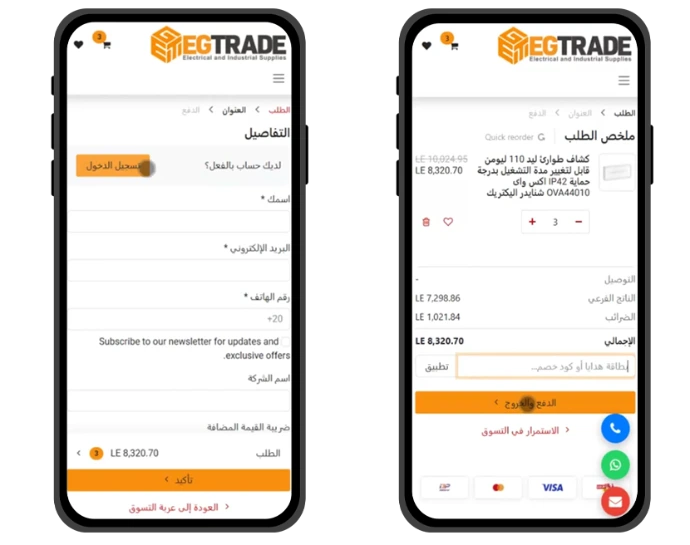
Once the price details appear and you've reviewed them, you will find a field to apply a discount code (if available). Click (Apply), then click (Checkout).
Next, you will be directed to the following page to enter your details in full. If you are already registered on the site, simply click (Log in).
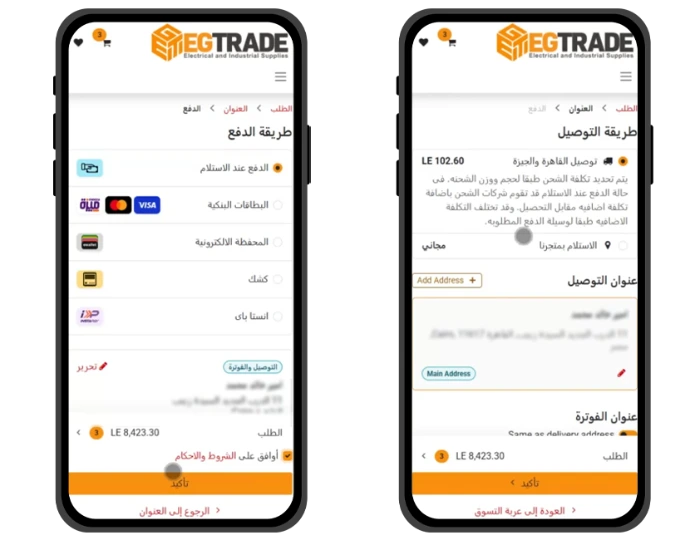
Select your delivery method, then review your details carefully to ensure the courier can reach you easily and promptly... then click Confirm.
You will find multiple payment methods. Choose the payment method that suits you, click (I agree) and then click Confirm.
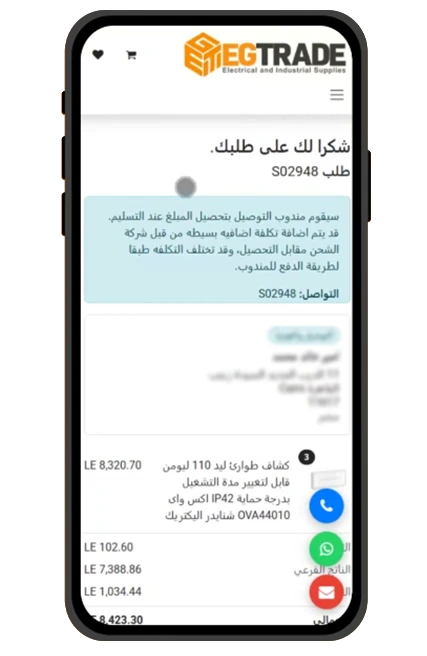
Congratulations! Your order has been successfully confirmed
Once your order is confirmed, you can easily track it through your account.
Click on 'Your Orders' to find all confirmed orders.
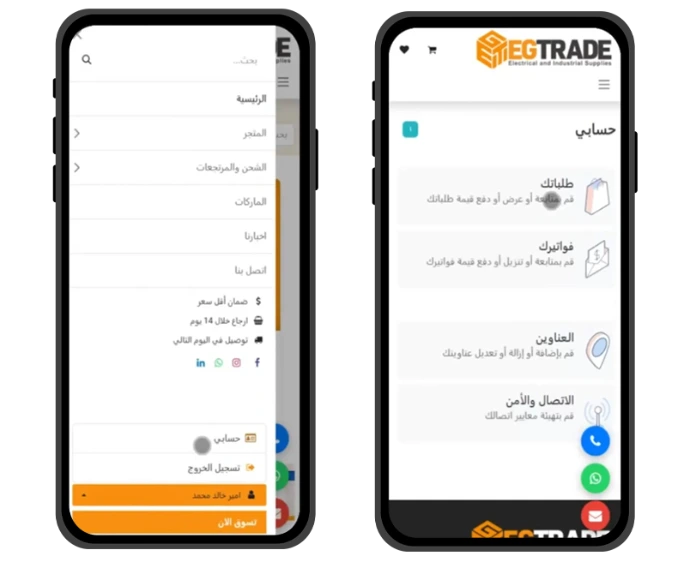
Select the order you wish to track or review, and you will find all the related details.
Ready to place your order!
Buy now and receive your items in no time
shop now